
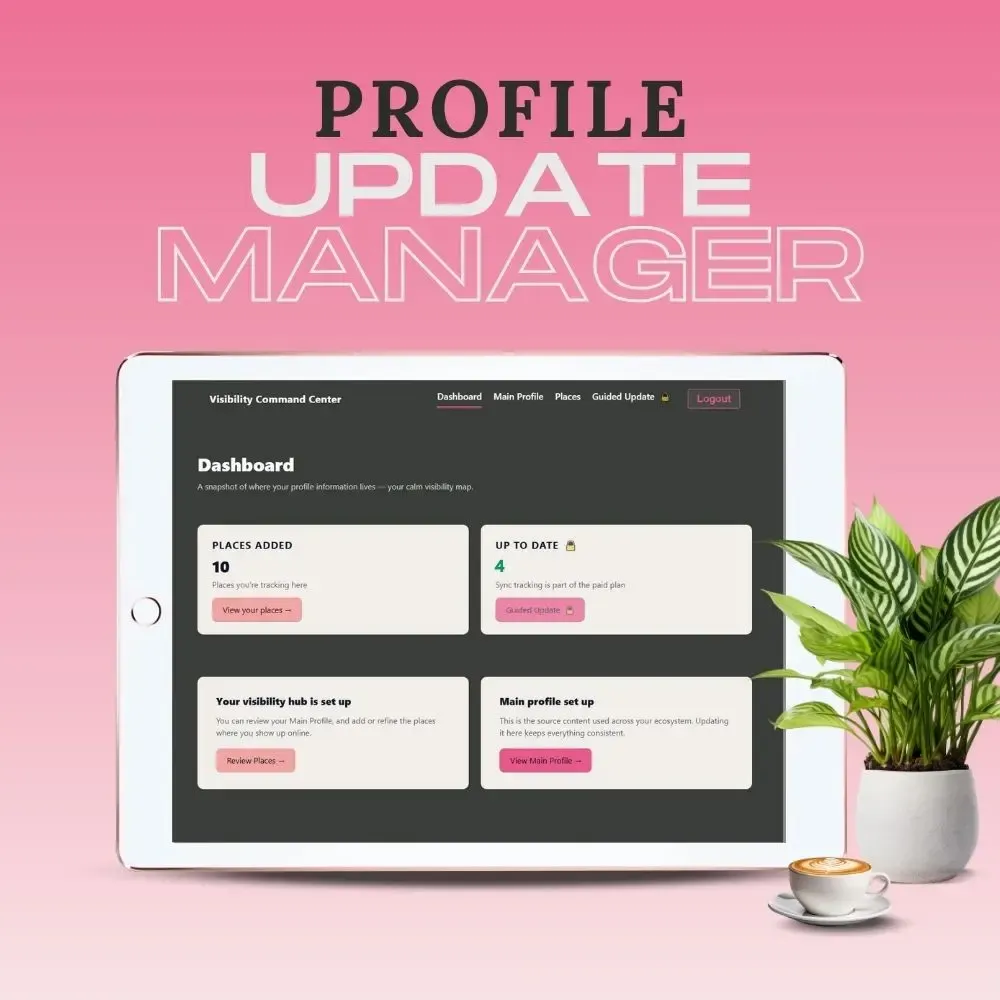
Name changed from Visibility Command Centre
One place to keep your online profiles up-to-date
A simple system for tracking, updating, and maintaining every bio, link, and profile you’re responsible for.
When something changes in your business, making your profile & links out of sync, this is where you update it once - and know you’re done - until next time.
It happens gradually
You create a bio for a course platform.
Another for your website.
Another for social media.
Another for a bundle, a directory, a collaboration.
Years pass. Your work evolves.
Your offers change. Your business pivots.
Your links get updated - here and there.
When things are spread out like this, you usually only see the latest version - the one you just wrote.
But that Google Business Profile you set up in 2019? 🤷♀️
This is not a daily app.
It’s the place you go when something changes, and you want it handled properly.
What's easy to miss is,
How you’re described on older platforms
Whether your links still match what you do now
Whether you sound consistent across spaces
The Profile Update Manager makes that visible - to you!
You could manage this in notes, spreadsheets, or memory.
Many people do, but it involves too many clicks and constant tab changing, so you keep putting it off.
Profile Update Manager exists, so this stops being a recurring mental chore.
So, why this app?
Because updating bios and profiles is:
▷ Universally postponed
▷ Cognitively expensive
▷ Scattered - "Where on earth do I change THIS one?"
▷ Anxiety-inducing
▷ Silently reputation-damaging
In fact, people complain about it emotionally (“I’m dreading this”).
I watched a client go through this pain, and it created extreme anxiety in both of us.
With the Profile Update Manager - Core (free),
you can
Who this is for
You’ll use Profile Update Manager when:
You change your bio, offer, or positioning
You add or update links
You create a new profile or listing
You rebrand or tweak your messaging
You realise you’ve forgotten where your details live
What it does
You get you one trusted place to:
Keep a master version of your bio and links
See every profile or platform you need to update
Track what’s been updated — and what hasn’t
Avoid missing places you forgot existed
Never start from scratch again
In the free version, it doesn't push changes anywhere.
It gives you a place to review, compare, and decide what needs attention.
You can update and refine your content inside the Profile Update Manager.
That doesn’t change anything on your website, platforms, or profiles.
It’s where you prepare updates — not where they’re automatically applied.
This isn’t about being organised.
It’s about finishing updates properly and moving on.
A single, trusted record of every profile you’re responsible for.
What happens after signup
After you sign up:
✔ You’ll access your private dashboard
✔ Start by setting up your main profile & bio variants
✔ Add the places where your profile appears online
✔ Bookmark the page so you can add new places as you access them and/or remember them! 😅
✔ You can stop anytime and come back.
Takes about 10–15 minutes to set up.
Pays off every time something changes.
Sign up for the Profile Update Manager